.avif)


.svg)
Web Development Introduction: What Business Owners Need to Know

Why Business Owners Should Care About Web Development
Every article ranking for "web development introduction" is written for someone learning to code.
That's not you.
You're the person writing the check. You're the one sitting across from a developer who's explaining why your project needs "a React frontend with a headless CMS and REST API integration." You're nodding. You have no idea what any of that means. And you're about to spend $8,000.
This is a problem.
Not because you need to learn JavaScript. You don't. But because understanding the basics of how websites get built changes the conversation. It changes the questions you ask. It changes whether you get taken advantage of or whether you make a smart investment.
The global web development market hit $87.75 billion in 2026, according to Mordor Intelligence. That number is projected to reach $134 billion by 2031. A lot of that money is being spent by small business owners who don't fully understand what they're buying.
Global Web Development Market Size (2025-2031)
This web development introduction is for you. The business owner. The decision maker. The person who needs to understand enough to make good choices, not enough to build a website from scratch.
What Is Web Development (Without the Jargon)
When someone types your website address into a browser, something happens in about two seconds. A request travels across the internet to a server. The server finds your website files. It sends them back. The browser assembles those files into the page your customer sees.
That's web development. Building those files. Making that process fast, reliable, and useful.
The work splits into three categories.
Frontend: What Your Customers See
Frontend development is the visual layer. The layout. The colors. The buttons. The text on the screen. When you visit a website and interact with it, everything you touch was built by a frontend developer.
Three languages power almost every website you've ever seen.
HTML creates the structure. Headings, paragraphs, images, links. Think of it as the framing of a house.
CSS handles the appearance. Colors, fonts, spacing, layout. The paint, the finishes, the curb appeal.
JavaScript adds behavior. Dropdown menus, form validation, animations, anything that responds when you click or scroll. The electrical and plumbing.
For a Houston small business, the frontend is what your customers judge you on. Research from Stanford University shows that 75% of users judge a company's credibility based on website design. That judgment happens in less than a second.
Backend: What Makes It Work
Behind every website is a server running code your customers never see. The backend handles data. It processes form submissions. It manages your inventory. It connects your website to your CRM, your email system, your payment processor.
When someone fills out your contact form and the lead shows up in your inbox (or your CRM), that's backend work.
Backend developers write in languages like Python, PHP, Ruby, or JavaScript (running on servers through a tool called Node.js). They build the logic that makes your website functional, not just pretty.
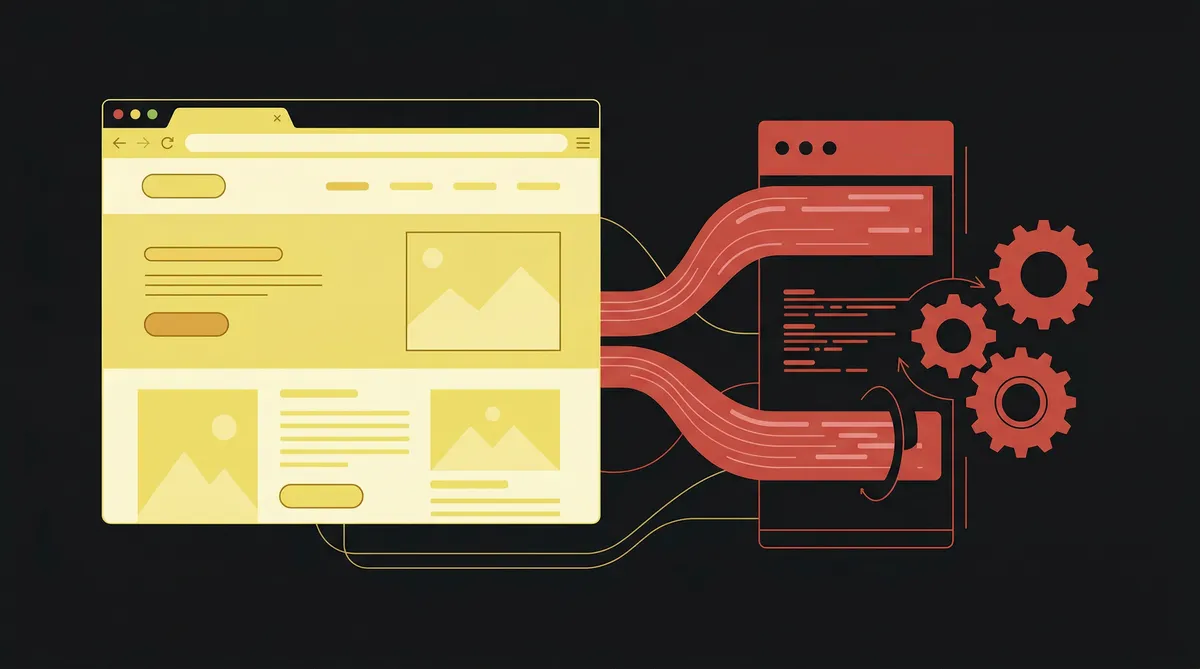
Full-Stack: The Whole Picture
A full-stack developer handles both sides. Frontend and backend. They can build the visual design and wire up the database behind it.
For most small business projects, a full-stack developer or a small team that covers both roles is the most practical choice. You get one point of contact who understands the entire system. Our guide to hiring a web developer covers how to evaluate these options based on your budget.
The Technologies Behind Every Website
You don't need to memorize a list of programming languages. You need to know what decisions affect your budget, your timeline, and your ability to update your own site two years from now.
The biggest decision is your platform.
WordPress powers about 43% of all websites on the internet, according to Web Professionals Global. It's flexible. It has a massive ecosystem of plugins. It also requires constant security updates, plugin management, and can slow down as you add features. The "free" platform has real ongoing costs.
Webflow generates clean, production-ready code through a visual builder. No plugins to break. No security vulnerabilities from third-party add-ons. Fast hosting built in. The trade-off is a smaller developer pool and a learning curve for the builder itself. We build exclusively on Webflow because the long-term maintenance math works better for our clients. Our guide to building a Webflow website walks through the full process.
Shopify is built for selling products online. If you're running an e-commerce business, it handles inventory, payments, and shipping out of the box. Less useful for service businesses.
Wix and Squarespace are drag-and-drop builders for getting something online fast and cheap. They work for simple needs. They hit real limits on SEO performance, load speed, and customization when your business grows.
Your platform choice affects what you pay to build, what you pay to maintain, and how painful it is to change things three years from now. Choose carefully.
The Web Development Market in 2026
Web development is not slowing down. The numbers make this clear.
The Bureau of Labor Statistics projects web developer employment will grow 8% from 2023 to 2033, according to Terminal.io's analysis of BLS data. That's faster than average for all occupations. The U.S. median salary for web developers and designers reached $98,090 in mid-2024, per Figma's compilation of BLS data.
For you as a business owner, this means two things. Good developers are in demand, so they charge accordingly. And cutting corners on web development means competing against businesses that don't.
Three trends are reshaping how websites get built right now.
AI-assisted development. 77% of developers now use AI coding tools, according to eSpark Info's industry report. This speeds up certain tasks but hasn't replaced the need for strategy, design thinking, or understanding your specific business goals. Our post on AI-assisted web development covers what this actually means in practice.
Progressive Web Apps. PWA adoption grew 35% year-over-year in 2025, per Web Professionals Global. These are websites that behave like native phone apps. Faster. Works offline. No app store required.
Mobile-first is the default. Mobile devices account for 63% of all web traffic globally. If your site doesn't work well on a phone, it doesn't work well for most of your customers.

The Web Development Process (From Your Side of the Table)
When you hire someone to build your website, here's what should happen. If any of these steps get skipped, ask why.
Discovery and planning. A good developer starts by understanding your business, your customers, and what you need the website to accomplish. Not what colors you like. What business problems you need solved. This phase should produce a clear scope document, a sitemap, and agreement on what success looks like.
Wireframing. Before anyone designs a single page, the structure gets mapped out. Where does the navigation go? What's the hierarchy of information? What action do you want visitors to take on each page? Wireframes are blueprints. They're not pretty. They're functional.
Design. Now the visual layer comes in. Typography, color, imagery, spacing. A strong design isn't decoration. It's a trust signal. Our guide to web design basics covers what separates amateur design from professional work.
Development. The design gets built into a working website. Frontend code, backend logic, CMS setup, integrations with your other business tools. This is the most time-intensive phase.
Testing and launch. Every page gets tested across browsers and devices. Forms get tested. Load speed gets checked. SEO foundations get verified. Then it goes live.
A professional website project typically takes 2 to 4 months from kickoff to launch. Anyone promising a custom site in two weeks is cutting corners you'll pay for later.
How to Choose the Right Approach for Your Business
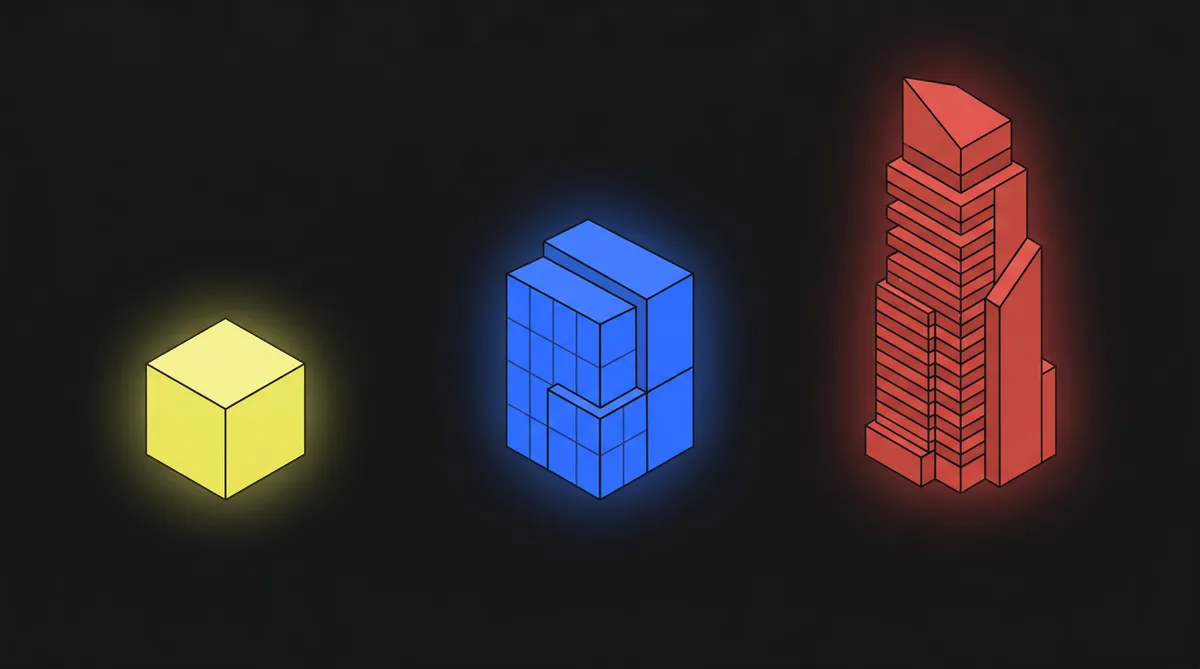
There are three paths. Each makes sense for a different situation.
DIY website builders ($0 to $50/month). Wix, Squarespace, GoDaddy. You can have something online in a weekend. Best for solo freelancers, brand-new businesses testing a concept, or anyone who genuinely cannot justify a larger investment yet. The trade-off: these sites underperform on SEO, load slower, and look generic. When your business outgrows the platform, migrating is painful.
Freelance developer ($1,000 to $5,000). A skilled freelancer can build a clean, functional site at a reasonable price. You get more customization than DIY. The risk is availability and scope. Freelancers juggle multiple clients. If communication drops, you're stuck. Ask for a contract, a timeline, and references.
Web design agency ($3,000 to $15,000+). An agency brings a team: strategy, design, development, often copywriting. You're getting a site built around a plan for your specific market and goals. The investment is higher upfront. The return tends to be higher when the site actually generates leads. Our pricing breakdown covers real numbers across every tier.
The right choice depends on where your business is today and what you need the site to do. A $500 site that sits there doing nothing costs more than a $5,000 site that brings in three new clients a month.
Web Development Trends Reshaping 2026
The way websites get built is changing faster than most business owners realize.
Performance is a business metric. Studies consistently show that even 100-millisecond delays in load time affect conversion rates. Google uses Core Web Vitals (speed, responsiveness, visual stability) as a ranking factor. A slow website costs you in search visibility and in customers who leave before the page finishes loading.
Accessibility is becoming mandatory. New regulations around WCAG 3.0 compliance are pushing businesses to make their websites usable for people with disabilities. This isn't optional anymore. It's a legal and ethical requirement that also happens to improve the experience for everyone.
Headless CMS adoption is growing. Headless CMS platforms grew 15% annually in 2025, according to Mordor Intelligence. A headless CMS separates your content from your website's frontend. This means your content can be delivered to a website, a mobile app, or a voice assistant from one central place. Webflow is heading in this direction with its API capabilities.
Security threats are rising. Website cyberattacks increased 25% year-over-year, per NXTWAT's industry statistics. And 35% of websites still lack SSL certificates. If your site doesn't have that padlock icon in the browser bar, you're losing trust (and search rankings) every day.
Frequently Asked Questions
What's the difference between web design and web development?
Web design is the visual and user experience side: how the site looks, how it's laid out, how users move through it. Web development is the technical side: writing code, building functionality, making the design work in a browser. Many agencies handle both. When you're getting quotes, clarify whether the price includes both or only one.
How long does it take to build a website?
A professional website typically takes 2 to 4 months from kickoff to launch. Simple sites on the faster end. Complex sites with custom features, e-commerce, or multiple integrations on the longer end. A one-page landing page can go live in a week. A 50-page site with a custom CMS takes longer.
Do I need to learn code to manage my website?
No. Modern platforms like Webflow include visual editors that let you update text, images, and blog posts without touching code. WordPress has a similar visual editor, though some changes still require developer involvement. The key is choosing a platform and a development partner who builds your site so you can manage it independently after launch.
How much does web development cost for a small business?
Most small businesses spend $3,000 to $10,000 for a professionally built website. DIY builders run $0 to $50 per month. Freelancers charge $1,000 to $5,000. Agencies run $3,000 to $15,000+. Enterprise and custom development starts at $15,000 and can reach $100,000+. Our full pricing breakdown covers every tier with real-world context.
Is web development still a growing field in 2026?
Yes. The BLS projects 8% job growth through 2033. The global market is approaching $88 billion. Over 60% of companies are increasing their web development budgets, according to industry research from NXTWAT. AI tools are changing how developers work, but the demand for people who understand both the technology and the business strategy behind it is growing, not shrinking.
What This Means for Your Business
You don't need to become a developer. You need to become a better buyer.
Understanding the basics of frontend, backend, platforms, and process gives you the vocabulary to have real conversations with the people building your digital presence. It lets you ask the right questions. It lets you spot when someone is overcomplicating a simple project or oversimplifying a complex one.
Your website is infrastructure. It works for you 24 hours a day. It's the first impression for every potential customer who searches for what you do. The businesses that treat web development as a strategic investment outperform the ones that treat it as a box to check.
If you're a Houston small business owner ready to build a website that actually works for your business, start a conversation with Nimbus Media. No jargon. No pressure. Just an honest assessment of what you need and what it takes to build it right.


.svg)
.webp)