Internal Link Map Builder
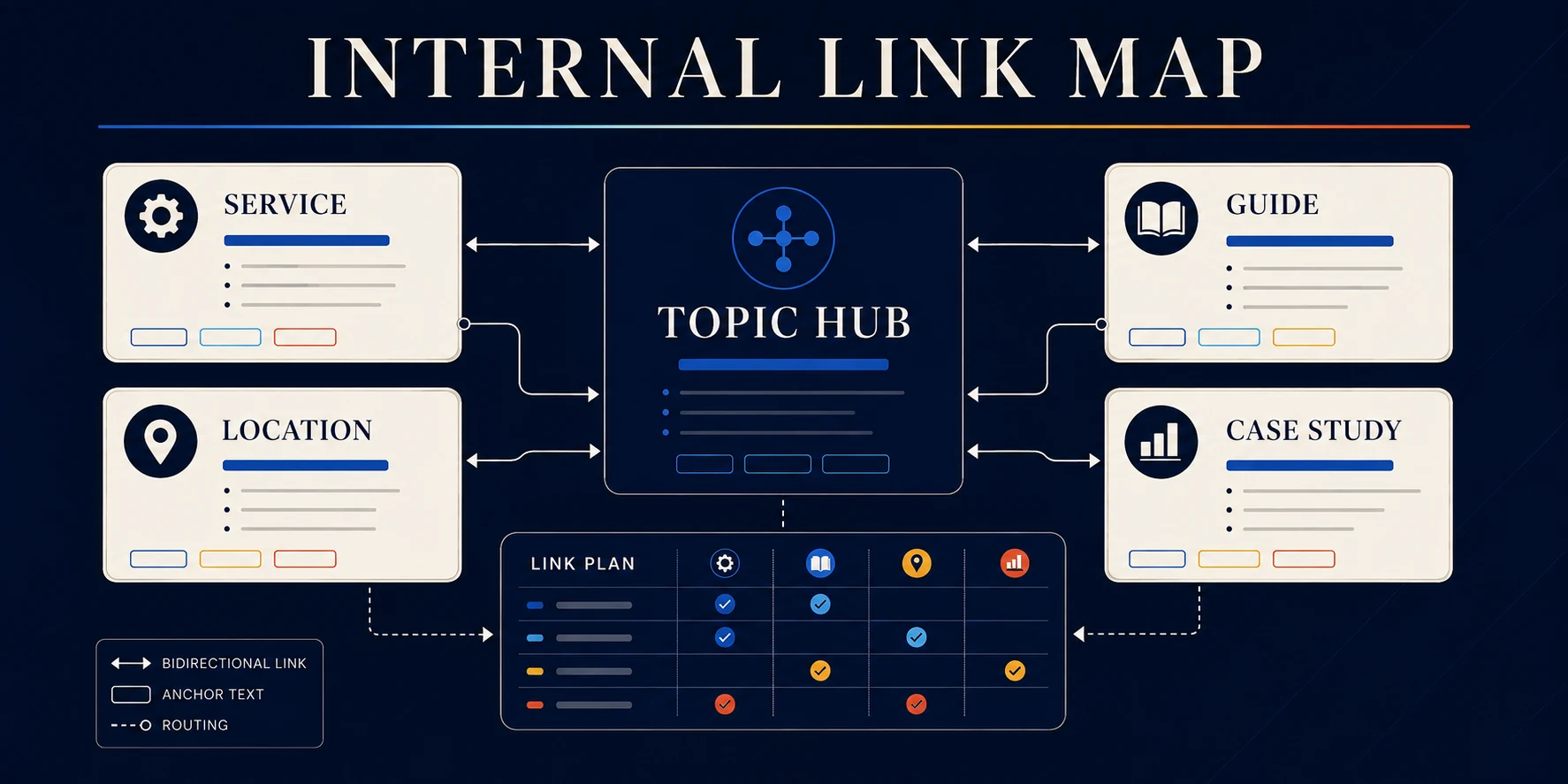
Build an internal link map for a topic cluster
You published twelve pages about the same subject. Each one sits alone. Search engines see twelve orphans instead of one authority, and visitors hit a dead end at the bottom of every page.
The Internal Link Map Builder turns a hub page and its supporting pages into a plan someone can implement this week. Three to nine pages, about three minutes, no signup.
Who this helps
- Houston service businesses connecting a main service page to its suburb and sub-service pages
- Content teams that published a cluster and never linked it together
- Anyone with pages that get impressions and no clicks because nothing points at them
- Webflow site owners planning links before a CMS build rather than after
How to use the Internal Link Map Builder
- Enter the site or project name, the cluster topic, and your hub page title and URL.
- Add an optional preferred anchor phrase for the hub.
- Add two to eight supporting pages. For each one, give a title, URL, page role, and the phrase it should be found for.
- Generate the map and read the hub links, the return links, and the sibling recommendations.
- Copy the implementation plan or the HTML snippets, download the CSV, or save the whole plan as a PDF.
Pick the hub first
The hub is the page that should rank for the broad term. For a Houston roofing company, "roof replacement" is the hub. "Storm damage roof repair in Cypress" is a spoke.
What the map gives you
- A hub and spoke diagram with inbound coverage and planned link counts
- A page by page implementation table with anchor text suggestions
- Copyable HTML link snippets you can paste into a rich text block
- A plain text plan and a downloadable CSV of assignments
Anchor text rules worth following
- Vary the wording. Twelve identical anchors read as a pattern, not a recommendation.
- Describe the destination. "Foundation repair in Pearland" tells a reader where they are going. "Click here" does not.
- Place links inside the sentence that raises the question, not in a block at the bottom.
- Link both directions. Hub to spoke, spoke back to hub.
Why internal links move Houston rankings
Internal links pass authority from the pages that already earn attention to the pages that need it. For a local business with a handful of strong pages and a stack of new suburb pages, that transfer is often the fastest gain available. No outreach, no waiting on anyone else.
What this tool does not do
- It does not crawl your site. Existing links, redirects, canonicals, and broken destinations still need a real audit.
- It does not find orphan pages you forgot about.
- It proposes routes. Relevance decides whether a link belongs. Cut the ones that feel forced.
Where to go next
Plan the cluster itself with the Local SEO Page Planner, then brief each supporting page using the Service Page Brief Builder.
For internal linking and authority work handled by our team, see SEO and link building.
Free internal linking planner
Connect the pages. Clarify the path.
Turn one topic hub and its supporting pages into a practical internal link map. You will get bidirectional hub links, contextual next steps, natural anchor suggestions, and an implementation-ready plan.
Internal link plan
A clearer route through the cluster.
Total pages
Planned links
100%Inbound coverage
Cluster map
One hub. Useful paths in both directions.
Page-by-page assignments
Know what links where and why.
Core hub link Related-page link
Anchor text check
Crawlable link snippets
Use real anchors with real destinations.
Need the whole site to connect?
A link map creates routes. The content still has to deserve the trip.
Nimbus can align information architecture, SEO, writing, design, and development so every page has a useful role in the system.
.avif)

Ready to build something better?
Let's talk about your project and how we can help your business grow online.
.avif)